
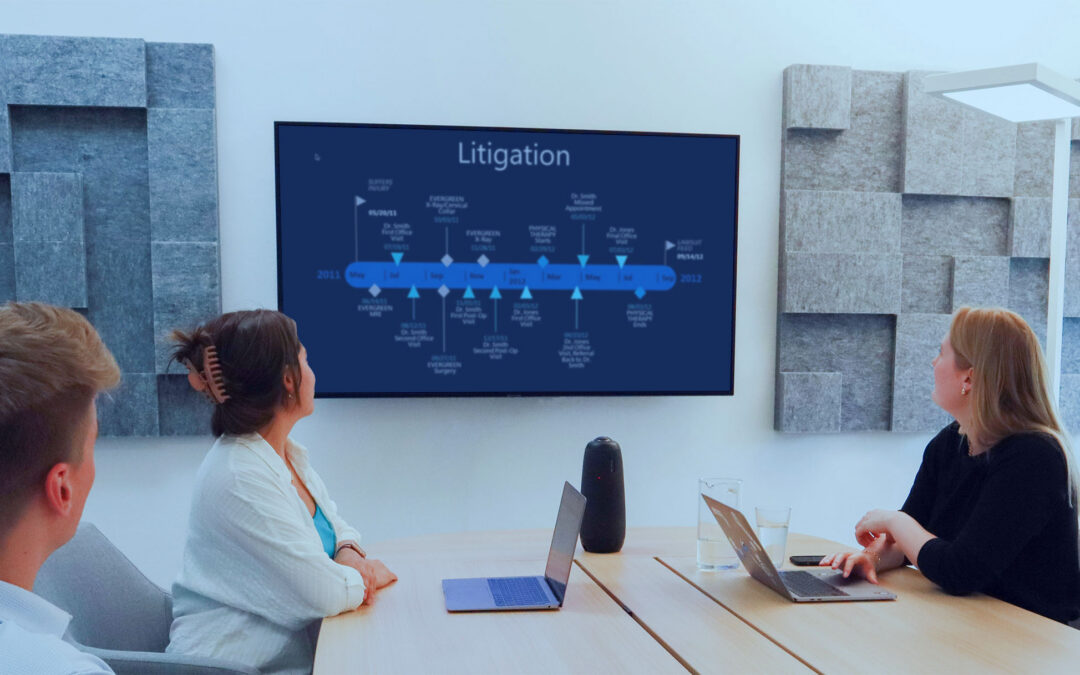
A single date can change the direction of a case.
An email sent two days before a contract was terminated. A photograph taken shortly after an accident. An invoice that contradicts a company’s claimed delivery date. A witness statement that conflicts with a document created months earlier.
Individually, these pieces of evidence may seem unremarkable. Viewed in chronological order, they can reveal a sequence of events that is much easier to understand—and much harder to overlook.
That is the purpose of a legal case timeline.
For attorneys and litigation teams, building a timeline is more than arranging dates in a spreadsheet. It means identifying significant events, connecting each event to reliable supporting evidence, investigating inconsistencies, and developing a clear account of what happened.
It also means being ready to locate and display the underlying evidence when a question arises during trial.
In this guide, we’ll explain how to build a legal case timeline, walk through practical litigation scenarios, and show how ExhibitView’s trial presentation tools can help turn a well-prepared chronology into a clear courtroom presentation.
What Is a Legal Case Timeline?
A legal case timeline is a chronological record of significant events in a dispute, investigation, or lawsuit. Each entry typically identifies an event, its date, the people involved, and the evidence that supports or challenges the account.
Depending on the case, a timeline may include:
- Emails and other correspondence
- Contracts, amendments, and signed agreements
- Invoices, payment records, and financial statements
- Photographs, inspection reports, and physical evidence
- Medical records and treatment dates
- Internal company documents and meeting minutes
- Witness statements and relevant testimony
- Court filings, orders, and procedural deadlines
A timeline helps a legal team understand how events relate to one another. It can reveal gaps in the evidence, highlight disputed dates, and identify documents that deserve closer examination.
It can also provide a useful framework for opening statements, witness examinations, expert testimony, and closing arguments, where appropriate.
The key principle is simple: every important event should lead back to the evidence that supports it.
A chronology is a working analytical tool, not a substitute for the underlying records. The legal team must still assess authenticity, admissibility, completeness, and the context in which each item was created.
Why Case Chronology Matters in Litigation
Complex cases often contain hundreds or thousands of documents. The challenge is not necessarily finding a relevant document; it is understanding where that document fits into the larger sequence of events.
A well-constructed chronology helps attorneys answer five important questions.
1. What happened first?
Establishing the sequence of events can help clarify the background of a dispute and identify what may have triggered a particular decision or action.
2. What happened next?
An email may refer to an earlier meeting, while a later report may document the consequences of a decision. A timeline helps connect these events.
3. What evidence supports each event?
Linking chronology entries to source documents makes it easier to verify dates, identify the source of a factual assertion, and prepare for questions about the evidence.
4. Where are the inconsistencies?
A document’s date may conflict with a witness’s recollection. A payment record may contradict a claim that an invoice was never received. These discrepancies deserve investigation.
5. How can the sequence be explained clearly?
Judges, jurors, and other decision-makers may not have the same familiarity with the record as the lawyers who prepared the case. A clear chronology can help explain complex factual relationships without overwhelming the audience.
Step 1: Define the Questions Your Timeline Must Answer
Before collecting dates, identify the issues the chronology needs to clarify.
A timeline that attempts to include every event can become difficult to use. Start with the disputed facts, legal issues, or elements of the claims and defenses.
For example:
| Type of case | Questions the timeline might address |
|---|---|
| Contract dispute | When was the agreement signed? When did performance change? When was notice given? |
| Personal injury | When did the incident occur? What treatment followed? How did the condition develop? |
| Construction litigation | When were defects reported? What inspections occurred? When were repairs attempted? |
| Employment dispute | When were complaints made? What actions followed? When were relevant decisions documented? |
| Commercial fraud | When were representations made? What information was available at the time? When did money change hands? |
These are starting points, not predetermined conclusions. A timeline should capture relevant evidence even when it does not support the theory initially expected by the legal team.
Once the questions are clear, identify the documents, witnesses, and other records that may help answer them.
Step 2: Gather and Organize the Source Documents
The quality of a legal case timeline depends on the quality of the underlying records.
Begin by gathering potentially relevant material from the case file. Depending on the matter, this may include email threads, contracts, correspondence, spreadsheets, photographs, reports, and testimony-related materials.
Preserve the original records and their available metadata. Record the source of each item, and avoid treating a file’s creation date, modification date, transmission date, and date of the event it describes as interchangeable.
For example, a photograph may have been taken on one date but produced in discovery months later. Both dates may matter for different reasons.
Use a consistent organization system
A practical approach is to organize documents by category, issue, witness, or time period. Assign each source a unique identifier that can be traced back to the original file.
For larger matters, ExhibitView Trial Presenter can help litigation teams organize documents in an exhibit library, using folders and witness folders to make relevant materials easier to locate.
Its Hot Docs folders can also keep frequently needed items accessible during preparation and presentation.
For example, a contract dispute might have folders for:
- Original agreement and amendments
- Project correspondence
- Delivery and inspection records
- Invoices and payment documentation
- Notice of breach and termination
- Witness-specific exhibits
This organization does not create the chronology automatically. Instead, it provides a structured way to locate and retrieve the documents that support each timeline entry.
Step 3: Build a Chronology With a Clear, Consistent Format
Once the records are organized, create the working timeline.
A spreadsheet is often a good starting point because it allows the team to sort dates, filter by issue, and track missing information. More complex cases may benefit from a visual timeline or a dedicated chronology tool alongside the underlying document library.
Consider using these columns:
| Field | Purpose |
|---|---|
| Date and time | Identifies when the event occurred, including the time zone where relevant |
| Event | Briefly describes what happened |
| People involved | Identifies the relevant individuals or organizations |
| Source document | Names the supporting record |
| Source reference | Provides a file identifier, page number, Bates number, or other locator |
| Issue | Connects the event to a disputed fact or legal question |
| Verification status | Indicates whether the date and description have been verified |
| Notes | Records conflicts, missing evidence, or follow-up questions |
Use a consistent date format and distinguish confirmed facts from disputed assertions or estimates.
If an event’s date is uncertain, say so. Do not assign an exact date simply because a spreadsheet requires one.
Likewise, distinguish between the date an event allegedly occurred and the date a document records or describes it.
Example: A construction contract dispute
Imagine a fictional case involving a contractor, a property developer, and a disagreement over project delays.
| Date | Event | Supporting record | Question to investigate |
|---|---|---|---|
| January 8 | Contract signed | Executed construction agreement | What deadlines and notice requirements apply? |
| February 12 | Revised delivery date discussed | Email correspondence | Was the change agreed upon? |
| March 4 | Materials delivered | Delivery receipt | Was the delivery complete? |
| March 9 | Deficiencies reported | Inspection report and photographs | Which deficiencies were documented? |
| March 14 | Payment withheld | Accounts payable record | What reason was given for withholding payment? |
| March 18 | Notice of breach sent | Formal notice and transmission record | Was the notice sent and received as required? |
This example does not establish that either party breached the agreement. It identifies a sequence of events and the evidence needed to evaluate the competing accounts.
That distinction is essential. A useful chronology helps the legal team test a theory rather than simply reinforce it.
Step 4: Connect Every Important Event to Its Evidence
A timeline becomes much more valuable when the team can move directly from an event to the underlying source.
Avoid entries such as “The company knew about the problem” without identifying what supports that statement.
A better entry might read:
“March 9 — The project manager received an inspection report identifying three installation deficiencies.”
The entry should then identify the report, the relevant page, and any associated correspondence. Whether the report proves notice, knowledge, or another disputed fact will depend on the surrounding evidence and applicable law.
This source-to-event connection matters during preparation and at trial. When an opposing attorney disputes a date or asks what supports a factual assertion, the team should be able to locate the relevant record quickly.
How ExhibitView can help
ExhibitView Trial Presenter allows users to organize documents in an exhibit library and present a document with a single click. Its search and navigation capabilities, folders, and Hot Docs workflow can help keep frequently referenced evidence accessible.
Suppose an attorney is discussing a March 9 inspection report. The attorney can retrieve the report from the organized case materials and display it for the audience, then use the software’s annotation tools to emphasize the relevant passage or image.
The timeline provides the structure. The original document provides the supporting evidence.
For documents that need preparation before presentation, PDF+ offers litigation-focused PDF tools, including OCR for searchable scanned documents, Bates numbering, bookmarks, redaction, and document assembly.
These capabilities can help make a large documentary record easier to prepare and navigate. They do not replace the need to verify the source, context, and admissibility of each item.
Step 5: Look for Gaps, Contradictions, and Turning Points
A chronology should not merely collect events. It should help identify where the record needs further analysis.
Once the initial timeline is assembled, review it for:
- Missing periods where relevant records may be unavailable
- Events described differently by different sources
- Dates that conflict with testimony or contemporaneous documents
- Decisions made shortly after a significant communication
- Records that appear to contradict an asserted sequence of events
- Documents that refer to earlier events not yet included in the chronology
Scenario: An employment dispute
Consider a fictional employment case in which an employee alleges that a termination was retaliatory.
The relevant chronology might include a complaint submitted to human resources, an internal investigation, a performance review, communications about staffing, and the termination decision.
The dates alone do not establish retaliation. But arranging the records chronologically may help the attorney identify questions about who knew what, when decisions were made, and how the stated reasons for those decisions compare with contemporaneous documentation.
A legal team might use the timeline to identify key emails, policy documents, and personnel records for closer review.
ExhibitView can then help present relevant documents clearly. For example, the attorney might display an email alongside a performance review, using side-by-side presentation to help the audience compare their dates and wording.
Live highlighting and zoom tools can direct attention to specific passages while leaving the underlying records available for context.
The objective is not to make a disputed chronology look conclusive. It is to make the evidence and the questions it raises easier to understand.
Step 6: Turn the Chronology Into a Clear Visual Narrative
A working spreadsheet is useful for analysis, but it may not be the best way to communicate a complicated sequence of events in court.
A visual chronology can help an audience understand the order of events, the time between them, and the relationships among different pieces of evidence.
When preparing a visual timeline, consider the following principles.
Keep the presentation focused
Include the events that matter to the issue being discussed. A timeline with too many minor events can obscure the important ones.
Make dates easy to read
Use a consistent date format and ensure labels remain legible when displayed on a courtroom screen.
Distinguish different categories of events
Where appropriate, use consistent visual labels for communications, contractual milestones, physical events, financial transactions, and procedural developments.
Make sure these categories do not imply that an event is proven when its status remains disputed.
Show the supporting evidence
A timeline entry should have a clear reference to the document, photograph, or other record that supports it. Keep the full source available even when the visual summary shows only a brief description.
Avoid misleading scale
If the time between two events is significant, represent that interval accurately or clearly label the timeline as schematic. Do not compress or expand intervals in a way that changes the apparent sequence.
Explain one point at a time
When presenting a complex chronology, it can be more effective to introduce a small group of related events and then display the relevant supporting documents than to show a crowded overview all at once.
ExhibitView Trial Presenter can support this approach by displaying documents, photographs, and other evidence, including side-by-side comparisons and live annotations. Attorneys can move from a chronology entry to its source material and direct attention to the details that matter.
The timeline itself can be prepared using a suitable spreadsheet, diagramming application, or other visualization tool, then incorporated into the case presentation as appropriate.
Step 7: Prepare for Questions During Trial
A timeline that looks clear during preparation may become harder to use when a witness disputes a date or an attorney challenges the meaning of a document.
Before trial, rehearse the transitions between the chronology and its supporting evidence.
For each important event, ask:
- Can we locate the original document quickly?
- Is the relevant page, passage, or image easy to display?
- Does the document support the description used in the timeline?
- Is the date verified, disputed, or inferred?
- Is there another record that provides necessary context?
- Has the exhibit been prepared and handled according to the applicable court requirements?
Scenario: A disputed payment in a commercial case
Imagine a supplier claims that a customer failed to pay an invoice before a contractual deadline. The customer argues that the payment was sent earlier than the supplier acknowledges.
The chronology includes the invoice date, payment instruction, bank transaction record, and subsequent correspondence.
During examination, a witness questions the date shown in the timeline.
Rather than relying on the summary alone, the attorney can display the underlying records and compare the relevant dates. ExhibitView’s side-by-side presentation can help show the invoice and payment documentation simultaneously, while annotation tools can emphasize the relevant entries.
The team should still establish the source, meaning, and admissibility of those records through the appropriate foundation. A visual comparison does not resolve every question about when payment was made or legally received.
The benefit is that the evidence can be examined directly without forcing the audience to remember several dates from a lengthy explanation.
Step 8: Keep the Timeline Updated and Consistent With the Case Record
Case chronologies often evolve as additional documents are produced, witnesses are interviewed, experts prepare reports, or the parties refine their positions.
A useful timeline therefore needs a maintenance process.
Consider these practices:
- Assign responsibility for maintaining the chronology.
- Record the source of every material change.
- Use a consistent system for document identifiers.
- Track unresolved date conflicts separately.
- Preserve earlier versions when changes could matter.
- Cross-check important entries against the underlying records.
- Coordinate timeline updates with the exhibit list and trial preparation materials.
A change to the chronology should not automatically change the exhibit’s legal status. Keep separate records of whether an item has been proposed, offered, admitted, excluded, or otherwise addressed by the court, using the terminology required in the jurisdiction.
ExhibitView can help the team maintain organized presentation materials as the case develops. PDF+ can assist with document preparation, and Trial Presenter can keep selected materials accessible for examination and presentation.
The chronology remains a separate analytical work product, maintained and verified by the legal team.
Common Mistakes to Avoid When Building a Legal Case Timeline
Even a well-organized chronology can create problems if the team does not handle the underlying evidence carefully.
Including every event. A timeline should be comprehensive enough to support the analysis but focused enough to remain usable. Keep a detailed working chronology and create narrower views for particular issues or witnesses.
Treating an allegation as an established fact. Clearly distinguish what a party claims, what a witness recalls, what a document records, and what has been established.
Confusing document dates with event dates. A report prepared on Friday may describe an event that occurred on Tuesday. Record both dates where relevant.
Ignoring contradictory evidence. Include material inconsistencies and investigate them. Omitting unfavorable records can weaken the analysis and undermine credibility.
Using vague source references. A file name alone may not be enough when a document contains hundreds of pages. Include useful page, Bates, or other source locators.
Relying on the visual summary instead of the source. A timeline is a guide to the evidence, not a substitute for it. Keep the underlying records accessible.
Failing to test the presentation. Confirm that the dates are legible, the source documents open correctly, and the presentation sequence works on the equipment that will actually be used.
How ExhibitView Fits Into a Legal Case Timeline Workflow
Building a chronology and presenting the supporting evidence are related but distinct tasks. ExhibitView’s products can help with the document preparation, organization, retrieval, and courtroom presentation stages.
| Product | How it can support the workflow |
|---|---|
| ExhibitView Trial Presenter | Organizes exhibits in folders and an exhibit library, provides quick access to selected documents, and supports full-screen display, side-by-side comparisons, and live annotations. |
| PDF+ | Helps prepare documentary evidence through OCR, Bates numbering, bookmarks, redaction, and PDF assembly tools. |
| TranscriptPro | Helps legal teams search, organize, summarize, and review transcripts when testimony is part of the chronology. Relevant transcript material can be exported to ExhibitView for presentation. |
| iTrial | Provides an iPad-based option for presenting and annotating prepared case materials. |
For example, a litigation team preparing a construction dispute could use PDF+ to make scanned inspection reports searchable, organize the resulting documents into a consistent exhibit set, and use ExhibitView Trial Presenter to display the key records in chronological order during trial.
If testimony is relevant to a particular event, TranscriptPro can help locate and review the pertinent transcript material. The attorney can then prepare the appropriate excerpt or exhibit for presentation, subject to the applicable rules and court orders.
These tools do not automatically determine the legally correct chronology or establish that an exhibit is admissible. Their role is to help the legal team work with its evidence and present the relevant materials clearly.
Learn more about ExhibitView Trial Presenter, PDF+, and TranscriptPro.
Legal Case Timeline Checklist
Before using a chronology in a hearing or trial, review this checklist.
- Identify the factual issues the timeline must address.
- Gather relevant emails, contracts, reports, photographs, financial records, and testimony-related materials.
- Preserve source records and available metadata.
- Use consistent dates, identifiers, and descriptions.
- Distinguish event dates from document creation, transmission, and receipt dates.
- Link every material entry to its source.
- Flag disputed dates, missing records, and contradictory accounts.
- Verify important entries against the underlying evidence.
- Prepare a focused visual version for the intended audience.
- Check that supporting documents can be located and displayed promptly.
- Rehearse transitions between the chronology and source exhibits.
- Update the chronology when material evidence changes.
Frequently Asked Questions About Legal Case Timelines
What is the purpose of a legal case timeline?
A legal case timeline organizes significant events in chronological order and connects them to supporting records. It helps attorneys understand the sequence of events, identify inconsistencies, prepare witness examinations, and explain complicated facts more clearly.
How do you create a litigation timeline?
Start by identifying the issues in dispute. Collect relevant records, extract the dates and events, organize them in a consistent format, link each entry to its source, and verify important details. Then create a focused visual chronology if it would help communicate the sequence of events.
What should be included in a legal chronology?
Depending on the case, include dates, event descriptions, people involved, source documents, relevant issues, verification status, and notes about disputed or missing information. Emails, contracts, financial records, photographs, reports, and testimony may all be relevant.
What is the difference between a case timeline and an exhibit list?
A case timeline explains the sequence of events. An exhibit list identifies the documents and other items proposed or used as evidence, often with exhibit numbers, descriptions, sponsoring witnesses, and procedural status. The two can reference the same records, but they serve different purposes.
Can trial presentation software help with a legal case timeline?
Yes. Trial presentation software can help organize, retrieve, display, and annotate the documents that support a chronology. ExhibitView Trial Presenter provides an exhibit library, folders, side-by-side comparisons, and presentation tools. The chronology itself can be created separately using a spreadsheet or timeline tool.
Can a legal case timeline be used in court?
A chronology may be useful as an attorney’s preparation aid, a demonstrative exhibit, or another form of presentation, depending on its purpose and the applicable rules. Whether it can be admitted into evidence depends on the jurisdiction, the court’s rulings, the foundation established, and other relevant requirements. Consult the applicable rules and the court’s orders before presenting it.
Turn a Complex Case History Into a Clearer Presentation
The most useful legal case timelines do more than arrange events by date. They connect each important event to its supporting evidence, expose gaps that require investigation, and help attorneys explain the factual sequence without losing the audience in a mountain of documents.
That preparation becomes especially valuable when a case involves competing accounts, lengthy correspondence, complicated financial records, or events spread across months or years.
With a reliable chronology, organized source documents, and a well-rehearsed presentation workflow, a litigation team can move more confidently between the big picture and the details that support it.
Explore how ExhibitView can help you prepare and present your case materials. Visit ExhibitView Trial Presenter to learn about exhibit organization, rapid document presentation, side-by-side comparisons, and annotation tools.
This article provides general information about litigation preparation and legal technology, not legal advice. Evidence-handling and admissibility requirements vary by jurisdiction and case.
Recent Comments