The Attorney’s Guide
How to Organize Trial Exhibits
Find the Right Exhibit. Right When You Need It.
Stop searching through disorganized files. Learn how to organize trial exhibits and keep your evidence ready for court.
Step by Step
Organize Your Trial Exhibits in 4 Steps
Keep one master exhibit list, use consistent labels, group evidence by witness or issue, and test your setup before trial.
-
01
Build a Master Exhibit List
Track each exhibit’s ID, description, related witness, and preparation status.
-
02
Use Consistent Labels
Name files clearly and check the court’s exhibit-numbering and marking rules.
-
03
Group Exhibits by Witness or Issue
Keep related documents, photos, and videos together so they’re easy to find.
-
04
Rehearse and Back Up
Test your exhibit order, courtroom display, and backup copies before trial.
Example: Master Exhibit List
| ID | Description | Witness | Status |
|---|---|---|---|
| EX-014 | Incident photo | Adams | Ready |
| EX-015 | Medical timeline | Lee | Review |
| EX-016 | Witness statement | Adams | Ready |
Illustrative internal list. Follow your court’s exhibit requirements.
Want more detail? Read our practical guide to creating a trial exhibit list.
Product Solution
Keep Every Exhibit Within Reach
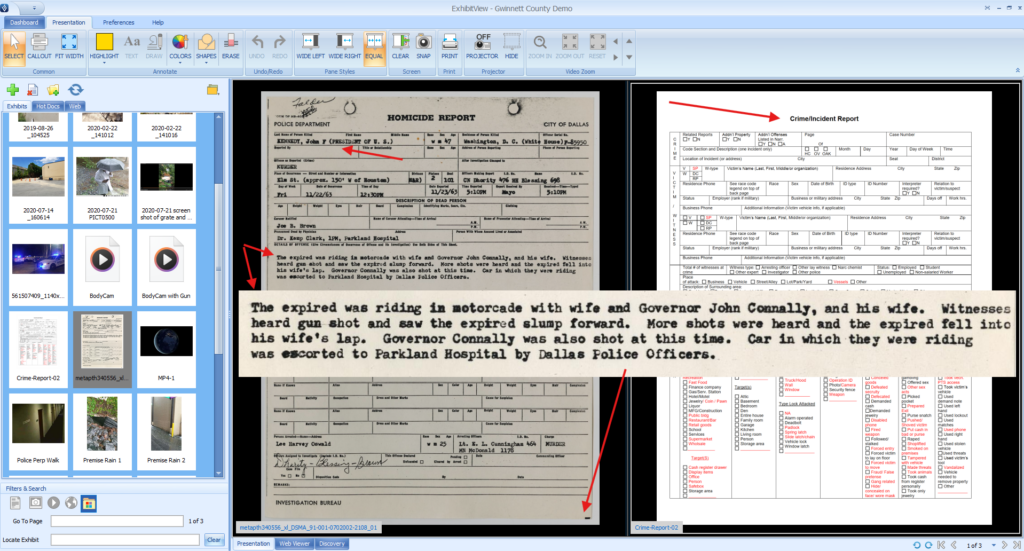
ExhibitView Trial Presenter helps attorneys and paralegals organize exhibits and pull up evidence during trial.
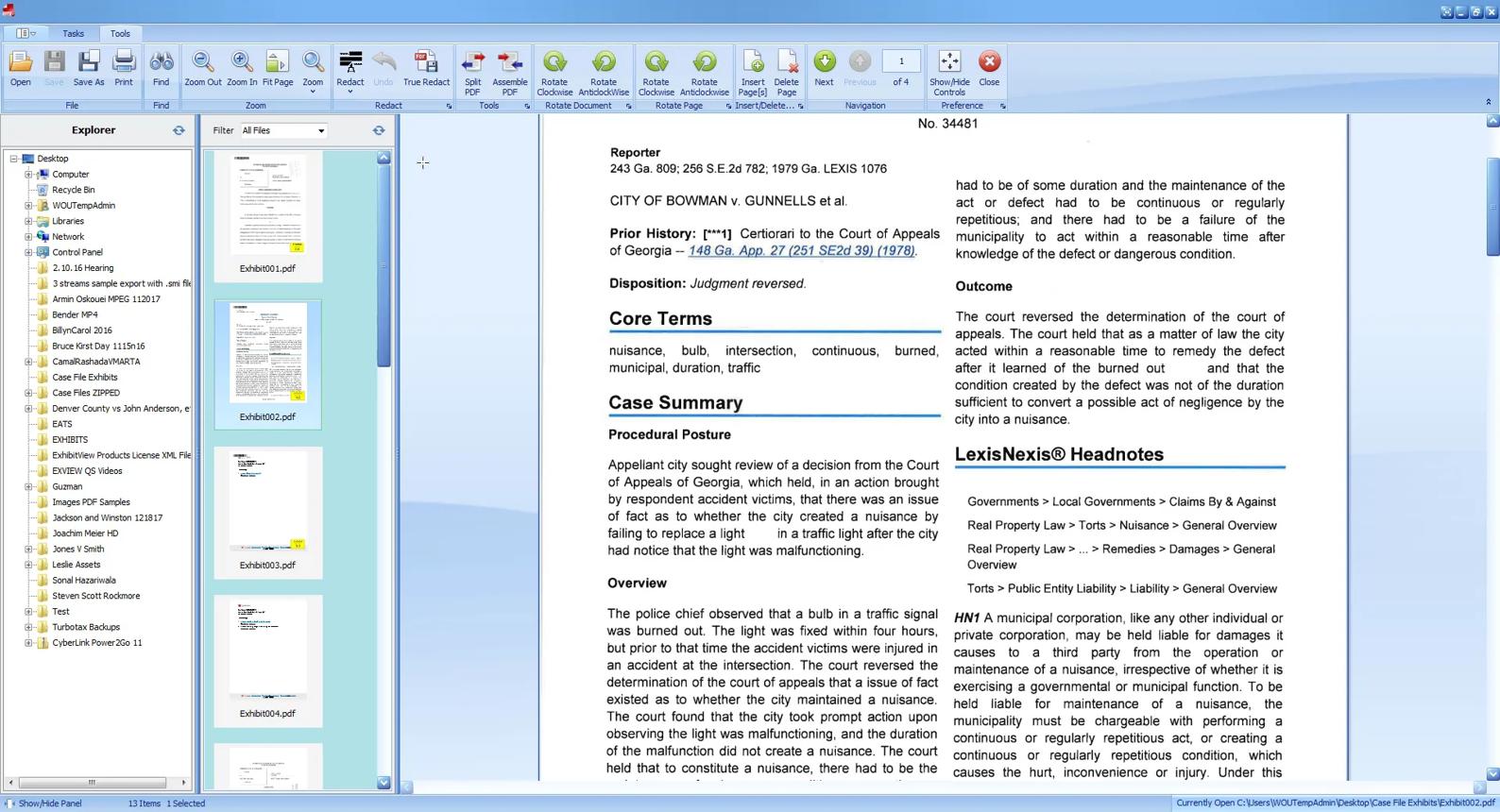
Exhibit Library
Browse exhibits in thumbnail or list view.
Witness Folders
Keep each witness’s exhibits together.
Hot Docs
Keep important documents easy to access.
One-Click Presentation
Display a prepared exhibit without digging through files.
Social Proof
Built for Document-Intensive Trials
When testimony changes direction, your presentation shouldn’t slow you down.
The ability to present any exhibit in any order you want simplifies document-intensive presentations.

Mark D. Link
Attorney, Link & Smith, P.C.
Trial Exhibit Organization FAQs
What is the best way to organize trial exhibits?
Create a master exhibit list, use consistent identifiers, and group related materials by witness or issue. Confirm your court’s exhibit rules before finalizing labels.
How do I manage hundreds of exhibits for trial?
Keep a searchable digital library and a master index that tracks each exhibit’s description, witness, and status. Test access before court.
Should exhibits be organized by witness or exhibit number?
Use exhibit numbers as your main reference, then group presentation materials by witness or issue to make them easier to retrieve.
Can I organize PDFs, photos, and videos together?
Yes. Keep a consistent reference for each item. ExhibitView Trial Presenter supports common exhibit formats, including PDFs, images, documents, and video.
Can ExhibitView help me find exhibits during trial?
Yes. ExhibitView offers an exhibit library with thumbnail or list views, witness folders, Hot Docs, and one-click exhibit presentation.
Get Started
Know Where Your Exhibits Are Before Trial Starts.
See how ExhibitView helps you organize, find, and present your evidence.
Prefer to talk? Call 404-247-3596
Recent Comments