The Attorney’s Guide
Trial Presentation Software for Attorneys
Trial presentation software helps attorneys organize exhibits, deposition video, and transcripts before trial, then display, highlight, and annotate that evidence for the judge and jury in the courtroom.
This guide walks through the full courtroom evidence presentation workflow, from building your trial exhibit list to presenting evidence at trial, so you know what the software should do at every step.
What this guide covers
- How the courtroom evidence workflow fits together
- Preparing exhibits and deposition video for trial
- Presenting and annotating evidence in court
- What to look for when choosing trial presentation software
Looking for the software itself?
How Trial Presentation Software Works
Trial presentation software helps attorneys prepare, organize, and display evidence throughout a trial.
-
01
Prepare
Gather documents, photos, video, and transcripts.
-
02
Organize
Arrange exhibits by witness, issue, or case.
-
03
Present
Display evidence when you need it in court.
-
04
Explain
Highlight, zoom, and compare key details.
Exhibit Preparation
Prepare Your Exhibits Before Trial
Keep your evidence organized so you can find the right exhibit when you need it.
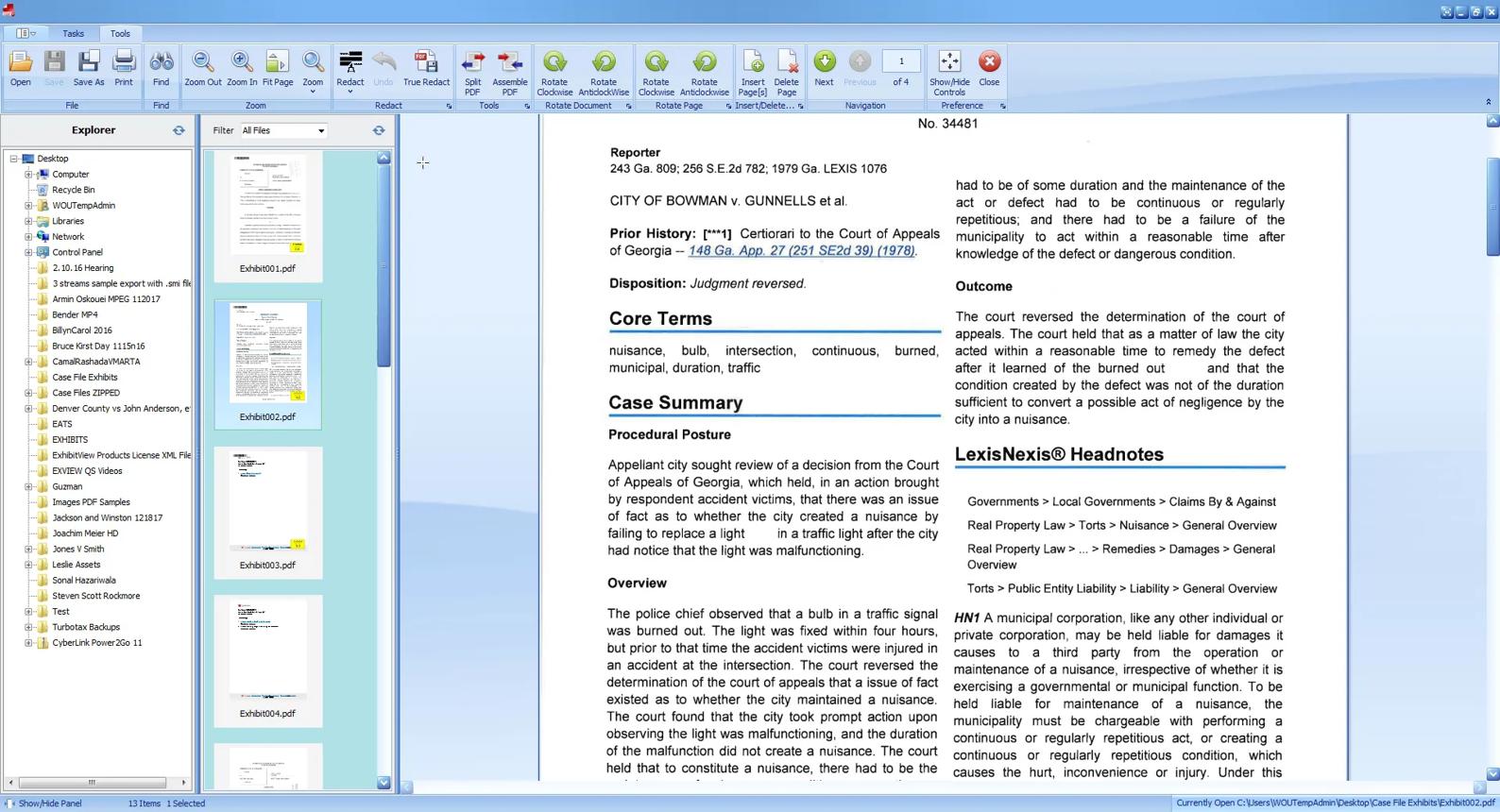
- Organize documents, photos, and videos.
- Group exhibits by witness or issue.
- Prepare deposition testimony for presentation.
Courtroom Presentation
Present Evidence Clearly in Court
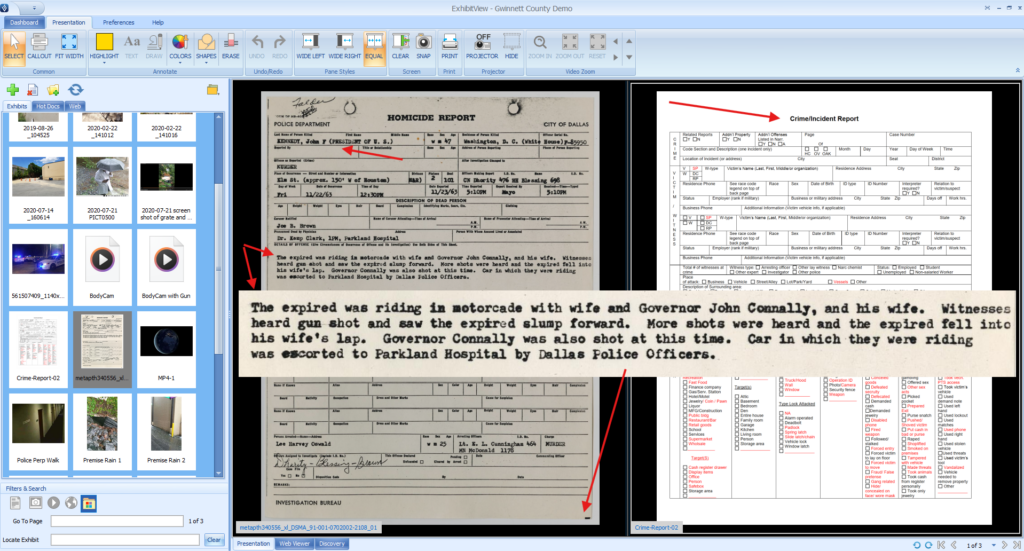
Quickly display exhibits and direct the judge’s or jury’s attention to the details that matter.
-
Display Exhibits
Open documents, photos, and videos.
-
Highlight Details
Zoom, draw, and annotate live.
-
Compare Evidence
Show two exhibits side by side.
-
Play Deposition Video
Present synchronized video testimony.
Buyer Checklist
What to Look for in Trial Presentation Software
The right software should make presenting evidence easier, not more complicated.
- Easy to learn and operate
- Quick access to exhibits
- Live highlighting and annotation
- Deposition video playback
- Reliable training and support
Product Introduction
Trial Presentation Without the Complexity
ExhibitView Trial Presenter brings your exhibits, deposition video, and presentation tools together in one easy-to-use application.
Find evidence quickly, highlight important details, and stay focused on presenting your case.
Frequently Asked Questions
What is trial presentation software?
Trial presentation software is a program attorneys use to organize and display evidence in the courtroom. It keeps exhibits, photos, deposition video, and transcripts in one place, so you can put any item on the courtroom screens and highlight, zoom, or annotate it while the judge and jury watch.
How do attorneys organize exhibits for trial?
Most attorneys start with a trial exhibit list, give each item an exhibit number, and group exhibits by witness, issue, or the order they plan to use them. In trial presentation software, those groups become searchable folders, so the right exhibit is one click away when a witness is on the stand.
Can trial presentation software display video depositions?
Yes. Trial presentation software can play deposition video clips, usually with the synchronized transcript shown alongside, so jurors see and read the testimony at the same time. ExhibitView lets you bookmark testimony and play clips on demand, and SyncExpress synchronizes deposition video with the transcript and exhibits.
Can attorneys operate trial presentation software without a technician?
Yes. Many attorneys and paralegals run trial presentation software themselves. Tools built for single-click presentation, like ExhibitView Trial Presenter, let you display and annotate exhibits without a dedicated trial technician. Training and support help your team get comfortable before trial, and trial presentation services are available if you want hands-on help.
See it in action
Walk Through Your Courtroom Evidence Workflow With an Expert
Book a 15-minute demo with ExhibitView founder Bill Roach and see how exhibits, deposition video, and transcripts come together for trial. Bring your questions about an upcoming case.
Prefer to talk? Call 404-247-3596
Recent Comments