
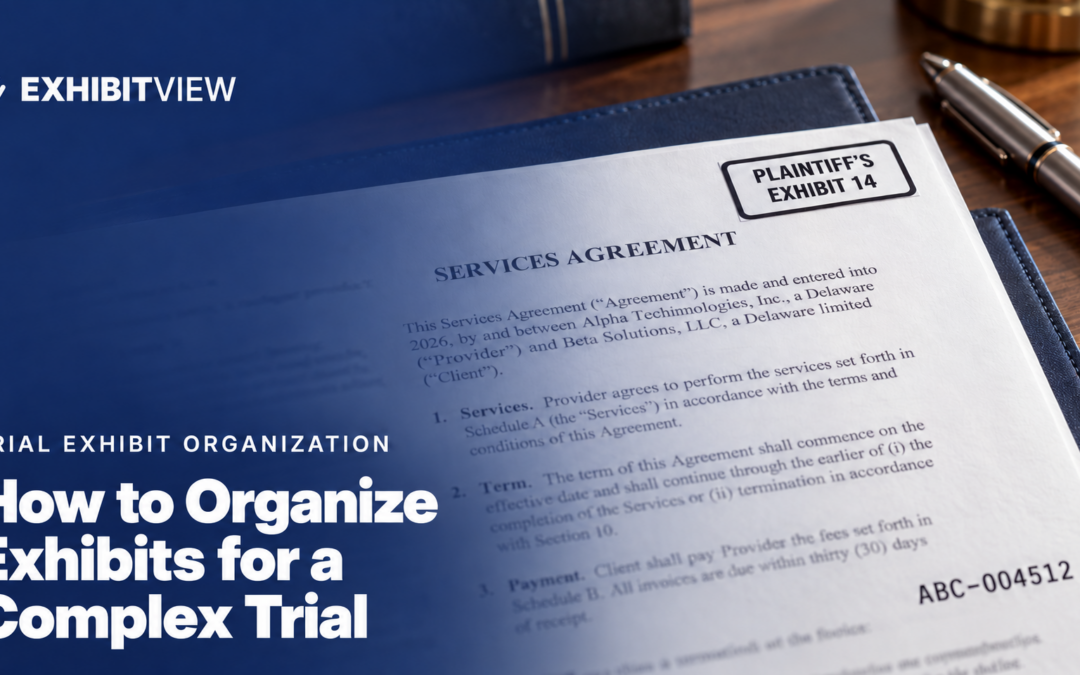
Most exhibit trouble comes from one thing: copies drifting apart. The attorney reshuffles the attorney set, nobody updates the electronic set or the judge’s copy, and suddenly nothing matches. The fix is a single master exhibit list every set is generated from, and knowing what your court requires before you number anything. For the overview, see how to organize trial exhibits.
Key takeaways
- Keep one master exhibit list as the single source of truth, and generate every set (attorney, electronic, court) from it. Never edit one set in isolation, and don’t assign final exhibit numbers until your outline is settled, because renumbering after you’ve labeled binders ripples through everything.
- Bates numbers trace documents to their production source. Trial exhibit numbers are what the court uses. They are separate systems. Keep both in your master list from day one.
- Courts differ on timing and format. Start with your scheduling order and the judge’s standing order, then the local rules. Ask the clerk what the court actually wants.
- ExhibitView Trial Presenter organizes exhibits into witness folders and a Hot Docs folder, so your master list becomes a working folder you can run in court.
Where to Find Your Court’s Requirements
Check these sources in order and put every deadline in your calendar immediately:
- The scheduling or pretrial order in your case. It’s the most specific source you have. Start here.
- The judge’s standing order or trial procedures, usually on the judge’s page on the court’s website. Many cover pre-marking, exchange, copies, electronic exhibits, and demonstratives.
- The court’s local rules, federal district or state superior court.
- The court’s technology page, for file formats, adapters, and equipment requirements.
- The courtroom deputy or clerk. Ask what they actually want, in what format, and when to test equipment.
Keep a one-page requirements sheet so nothing lives only in someone’s head:
|
Requirement |
Source |
Deadline |
Confirmed with |
|---|---|---|---|
|
Exhibit list and pre-marking |
Local rule or judge’s order |
Date |
Deputy, date |
|
Objections to exhibits |
Same |
Date |
Deputy or opposing counsel, date |
|
Electronic copy or binder format |
Judge’s order |
Date |
Deputy or clerk, date |
|
Demonstratives and illustrative aids |
Judge’s order |
Date |
Deputy, date |
|
Equipment test |
Court technology page |
Date |
Court technology staff or deputy, date booked |
What Courts Actually Require (Two Real Examples)
There is no single national procedure. Examples from each court’s published rules. Confirm against the current version before relying on them.
N.D. California, Judge Noel Wise’s civil jury trial standing order, Exchange proposed exhibits, including charts, summaries and diagrams, along with a complete list, and meet and confer on objections. The deadline is at least 21 calendar days before the pretrial conference.
New York Commercial Division, Rule 28. Consult on admissibility, pre-mark exhibits, and identify contested exhibits and objections. The deadline is before the pretrial conference, with no set number of days.
For federal civil cases, Rule 26(a)(3) requires identifying each document or exhibit you expect to offer (and those you may offer) at least 30 days before trial. Objections are due within 14 days after disclosure. Objections not made are waived, except under Evidence Rules 402 and 403, unless the court excuses them for good cause.
How to Number Exhibits
Don’t assume a convention. California Courts’ self-help guidance describes plaintiffs using numbers (Exhibit 1) and defendants using letters (Exhibit A), but it advises checking with the court. The table below shows how much it actually varies across courts and judges.
|
Court or judge |
What it says |
Where the label goes |
|---|---|---|
|
Pl. 1, Pl. 2 / Def. 1, Def. 2 / Joint 1, Joint 2; composite exhibits use a number and lower-case letter (e.g., Pl. 1a) |
Stapled to upper-right corner of first page |
|
|
Plaintiff from 1, 2, 3; defendant from 1000, 1001, 1002 |
Stapled to lower-right corner of first page |
|
|
Numbers only (not letters); parties cooperate on a scheme, e.g., plaintiff 1-100, defendant 101-200, or a joint list |
Separated by binder dividers; separately identified in PDF |
These are examples, not a federal standard. Placement varies, so check the judge’s order.
Bates numbers and exhibit numbers are different systems. Bates numbers identify pages within a production. Trial exhibit numbers identify what’s offered or marked at trial, and one multi-page exhibit can contain many Bates-numbered pages. Keep both numbers in your master list from the start, so a witness’s reference to a Bates page and the court’s reference to an exhibit are a single lookup apart.
Don’t assign final numbers until your outline is settled. Pre-marking is a court requirement in some jurisdictions, but internal numbering should wait. Renumbering after you’ve labeled binders ripples through lists, labels, and every set you’ve already printed.
Setting Up the Master List
Use a spreadsheet with a stable internal ID that never changes, separate from the exhibit number the court will see. For a full template with example rows, see how to create a trial exhibit list. Suggested columns:
|
Column |
What it holds |
|---|---|
|
Internal ID |
Never changes, even when exhibits are renumbered |
|
Trial exhibit number |
The number the court uses, assigned late |
|
Description and date |
Short, readable without opening the file |
|
Bates range |
Where it came from in production |
|
Sponsoring witness |
Who will lay the foundation |
|
Authentication route |
Witness, distinctive characteristics, self-authenticating |
|
Medium |
Document, photo, video or audio, and its length |
|
Status |
Admitted, offered, not offered |
|
Objections |
Raised, ruled on, outstanding |
|
Illustrative aid? |
Yes or no, so nobody mistakes your timeline for an admitted exhibit |
Here is what the first rows might look like (invented example):
|
Internal ID |
Ex. no. |
Description |
Bates range |
Witness |
Illustrative aid? |
|---|---|---|---|---|---|
|
D-0412 |
14 |
Signed services agreement, Mar. 3, 2021 |
ABC-004512 to ABC-004519 |
Smith |
No |
|
D-0733 |
22 |
Smith deposition clip, 84:12 to 85:3 |
n/a |
Smith |
No |
|
D-0901 |
31 |
Timeline of events, 2019 to 2021 |
n/a |
Jones |
Yes |
Habits that keep it working
- Wait to number. Number once your outline is settled, or when the court requires pre-marking.
- Group by witness. Trial runs witness by witness. Keep a separate hot-docs folder for items you’ll use repeatedly.
- One owner. Anyone can suggest a change; one person makes it. Three editors means three lists.
- Name files so they sort. Something like
Pl-Ex-014_Smith-Contract.pdfsorts by exhibit number and reads without opening. Leading zeros keep exhibit 14 from sorting after 119. - Keep a change log with the date, the change, and who asked. When the attorney reshuffles at 9 p.m., it tells you exactly what moved.
How do you set this up in Trial Presenter?
ExhibitView Trial Presenter mirrors the master list structure directly. Exhibits 14 and 22 from the example above sit in the Smith witness folder in the order you’ll examine, so you move through them without hunting. Hot Docs holds the exhibits you reuse across witnesses. Once the folder structure is built, keyboard shortcuts let you move between exhibits without breaking your rhythm in court.
Authentication, Summaries, and Illustrative Aids
Federal Rule of Evidence 901(a) requires evidence “sufficient to support a finding that the item is what the proponent claims it is.” Some records authenticate themselves under Rule 902. Note the route and the witness for each exhibit in your list. State rules differ.
Two categories need to be flagged in your list because they’re easy to confuse:
- Summaries of voluminous records. Under Rule 1006, the court may admit a summary, chart, or calculation to prove the content of voluminous admissible writings that can’t conveniently be examined in court. The proponent must make the originals or duplicates available to the other parties.
- Illustrative aids. Under Rule 107, a chart, timeline, or callout that helps the jury understand the evidence is not itself evidence. It generally doesn’t go to the jury room unless all parties consent or the court orders it. A summary functioning only as an illustrative aid falls under Rule 107, not Rule 1006.
Mark illustrative aids clearly in your master list. The last thing you want is a paralegal loading a demonstrative timeline as an admitted exhibit during examination.
Electronic Exhibits and Court Copies
Courts handle electronic exhibits differently. Ask early. Two examples:
- Judge Leichty, N.D. Indiana requires exhibit binders and a flash drive with separate exhibit PDFs by 5:00 p.m. on the Wednesday before trial, subject to the case schedule.
- Judge Wright, C.D. California requires two sets of exhibit binders delivered to the court clerk on the morning of the first day of trial, one for witnesses and one for the judge.
The Federal Judicial Center’s Effective Use of Courtroom Technology: A Judge’s Guide to Pretrial and Trial remains a useful reference on advance planning and anticipating objections, though it predates current hardware standards.
The Checklist
When you start
- Read the local rules and the judge’s standing order for numbering, exchange, and copy requirements.
- Build the master list with a stable internal ID, Bates range, and sponsoring witness for every item.
- Flag illustrative aids and summaries so they’re never confused with admitted exhibits.
Before the exchange deadline
- Finalize the outline, then assign exhibit numbers.
- Generate the exhibit list, attorney set, electronic set, and court copy from the master list.
- Check file formats and sizes against the court’s instructions.
The week before trial
- Run one witness’s examination start to finish on the laptop you’ll use in court. Courts differ on how early they want a test.
- Print the master list and tape a copy where the team can see it.
- Bring a backup computer and a backup copy of the case.
When the attorney adds an exhibit at 9 p.m.
Change the master list first. Then regenerate every set and log the change. Never edit one set by itself.
Frequently Asked Questions
Should I Bates-number all my exhibits?
Keep Bates numbers on documents to trace them to production. Trial exhibit numbers are a separate system the court assigns or approves, and many courts require them before exhibits are exchanged.
When should I assign exhibit numbers?
After you have at least a preliminary outline, unless the court requires pre-marking earlier. Renumbering later ripples through lists, labels, and binders.
Do plaintiffs use numbers and defendants letters?
In some California courts, as a traditional convention, but not everywhere. Judge Leichty in the N.D. Indiana requires numbers only and encourages a joint list. Judge Wright in the C.D. California uses plaintiff from 1 and defendant from 1000. Check the court’s published procedures and the judge’s order.
What does Federal Rule 26(a)(3) require?
Unless the court orders otherwise, you must identify each document or exhibit you expect to offer, and those you may offer, at least 30 days before trial. Objections are due within 14 days after, and ones not made are waived except under Evidence Rules 402 and 403.
How do I organize thousands of exhibits?
Use a master spreadsheet with a stable internal ID per document, group by witness, and keep a hot-docs folder for items you’ll use repeatedly.
What if the attorney adds exhibits the night before trial?
Change the master list first, regenerate every set from it, and keep a change log so the team knows what moved.
About ExhibitView
ExhibitView makes trial presentation software for attorneys and paralegals. Trial Presenter organizes exhibits into witness folders, Hot Docs folders, and a searchable exhibit library, with keyboard shortcuts built for courtroom pace. PDF+ handles Bates numbering, exhibit stickers, redactions, and court-ready PDF production.
A 15-minute call with Bill shows how a master list becomes a working folder of exhibits, using your own case.
Recent Comments