
Last updated October 28, 2026. Courts differ, so the applicable court’s local rules and the judge’s orders always control.
Comparisons fail in front of a jury for a few predictable reasons: the wrong page was on screen, five differences were marked at once, or a lawyer-made redline was shown as if it were the original. A repeatable prep process prevents all three. This guide covers when a side-by-side comparison works, what the evidence rules require, how disclosure works, and a prep sheet and display sequence you can run before trial.
Key takeaways
- Use a side-by-side comparison when the point lives in the gap between two things: contract versions, before-and-after photos, a disputed signature next to a known specimen, or a deposition answer next to trial testimony.
- Each exhibit needs its own foundation. Displaying two items together doesn’t authenticate either. Rule 901(b)(3) allows comparison with an authenticated specimen by an expert or the trier of fact, but it doesn’t do the authentication work for you.
- Your callouts and redlines are generally illustrative aids under Rule 107, not evidence, and many judges require you to disclose them in advance. Deadlines run from the night before to days before trial, so check your order.
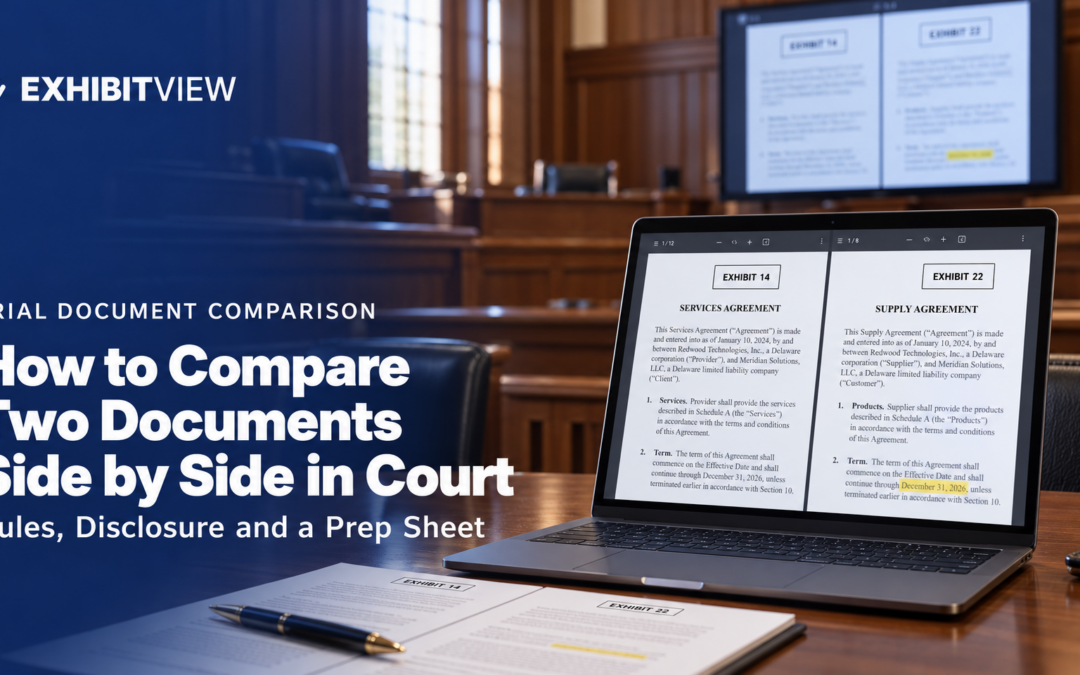
- ExhibitView Trial Presenter lets one lawyer or paralegal show two exhibits side by side and mark them up live from a single Windows laptop. Test it on the courtroom’s own display first, since Windows display scaling can shift annotation positions.
When does side by side beat one exhibit at a time?
When the point lives in the gap between two things. Common cases:
- Contract versions. The draft the other side says it signed against the one in your file.
- Photos. Before and after, or the same scene from two angles.
- Handwriting or signatures. A disputed signature next to a known specimen.
- Prior statements. What the witness said in a deposition against what the witness just said on the stand.
- Redlines. A comparison document that marks the changes between two versions.
What do the evidence rules say?
Each exhibit still has to come in on its own merits. The display format doesn’t change the admissibility analysis. Three rules govern most comparison situations:
|
Rule |
What it covers |
|---|---|
|
Authentication: evidence must be “sufficient to support a finding that the item is what the proponent claims it is.” Rule 901(b)(3) allows comparison with an authenticated specimen by an expert or the trier of fact, but putting two signatures side by side doesn’t make either authentic. |
|
|
Copies: a duplicate is admissible to the same extent as the original unless a genuine question is raised about the original’s authenticity or it would be unfair to admit the copy. |
|
|
Court control: the court has reasonable control over the mode and order of presenting evidence. Ask how the judge wants a comparison done before trial. |
Are callouts, highlights and redlines evidence?
Generally not. Rule 107 treats them as illustrative aids: the court may allow them to help the factfinder understand the evidence if their usefulness isn’t substantially outweighed by the danger of unfair prejudice, confusion or wasted time. Illustrative aids generally don’t go to the jury room unless all parties consent or the court orders it.
A few distinctions matter:
- Two admitted originals shown side by side remain the underlying evidence being compared.
- A redline you prepare that emphasizes changes is likely an illustrative aid, though its classification depends on how it’s used and offered. No federal rule classifies every redline one way.
- A summary of voluminous records may instead be offered under Rule 1006 as a separate exhibit.
The safest approach: preserve the originals, label lawyer-created comparison materials clearly, disclose them under the applicable order, and get any needed ruling before showing disputed material to the jury.
What do courts require for disclosure?
Many courts want to see demonstratives before the jury does. Check the scheduling or pretrial order first, then the judge’s standing order, then the local rules. Ask the courtroom deputy for the required format and where to send objections.
Three examples from judges’ published procedures. Confirm the current version before relying on them:
|
Court and order |
Deadline |
Objections |
|---|---|---|
|
N.D. Texas, Judge Brantley Starr |
Opening and closing demonstratives exchanged by 6 p.m. the preceding night |
Emailed by 8 p.m.; addressed the next morning |
|
N.D. Indiana, Judge Damon Leichty |
Demonstratives provided by 5 p.m. Eastern the Wednesday before trial |
Due by noon Thursday before trial |
|
S.D. Ohio, civil procedure standing order § N |
Trial demonstratives shown to opposing counsel five days before trial |
Submitted before trial |
There is no uniform national deadline.
Sample disclosure email
Use your judge’s required format, recipients and deadline. This is an invented example:
To: opposing counsel; courtroom deputy (if the order requires it) Subject: [Case name], Plaintiff’s demonstratives for [witness]
Plaintiff intends to use the following illustrative aid with [witness]: a side-by-side display of Ex. 14, p. 3 and Ex. 22, p. 3, with the termination clause highlighted. It is not offered as evidence. The underlying exhibits are Ex. 14 and Ex. 22. Please send any objections by [deadline set by the order].
How do you prepare a comparison that lands?
Use this prep sheet for each comparison. Fill it out before trial, not during direct examination.
|
Field |
Example |
|---|---|
|
Left exhibit and page |
Ex. 14, p. 3 |
|
Right exhibit and page |
Ex. 22, p. 3 |
|
The one-sentence difference |
“The termination clause is missing from the signed copy.” |
|
Authentication for each |
Witness and rule route |
|
Markup to add, in order |
Highlight clause, then zoom |
|
Illustrative aid? Disclosed? |
Yes, disclosed per the order |
|
Fallback |
Printed pair, marked up in advance |
The five-step display sequence
- Pick the exact page in each document. Find both before you walk into the courtroom. Scrolling through a 90-page document while the jury watches is how a comparison dies.
- Name the difference in one sentence. If you can’t, the jury won’t see it either.
- Show clean first, then mark up. Display the unadorned pair, then add the highlight or zoom on a copy or an overlay, never on the admitted exhibit.
- One difference at a time. Resist the urge to mark five things at once.
- Rehearse the click path. Run it once on the real laptop and display. Know which exhibit goes on the left, because swapping them mid-examination is a classic mistake.
Where does live annotation fit?
Live markup lets you respond to a witness in real time: circling the clause they just denied, zooming into the signature block, or drawing a line between two dates. Display scaling and DPI settings in Windows can shift where annotations and callouts land, so test on the same computer and display you’ll use in court.
ExhibitView Trial Presenter has a side-by-side view and live markup tools. Its own FAQ advises testing Windows display scaling on the specific computer and monitor you’ll use in court.

Pre-trial checklist
Run through this before any comparison goes in front of a jury:
- Confirm each exhibit’s foundation and the witness who will lay it
- Choose the exact pages and write the one-sentence difference
- Decide what is an illustrative aid, label it, and check the judge’s disclosure deadline
- Preserve the originals; mark up copies or overlays only
- Rehearse the click path on the real laptop and display
- Print a marked-up pair as a backup
- If either exhibit is video, see playing video evidence in court
The dry run takes about ten minutes. Skipping it is how the wrong page ends up on screen.
Frequently Asked Questions
Can I show two exhibits side by side in court?
Usually, if each has been admitted or the court allows it for the purpose. Ask the judge how comparisons should be presented. Rule 611(a) gives the court reasonable control over the mode and order of presenting evidence.
Do both documents need to be admitted?
Each exhibit needs its own foundation. Authentication under Rule 901 applies to each individually. Rule 901(b)(3) allows comparison with an authenticated specimen by an expert witness or the trier of fact, but side-by-side display doesn’t itself satisfy that requirement.
Are callouts and arrows evidence?
Generally not. Under Rule 107 they are illustrative aids, and they don’t go to the jury room without consent or a court order. Their usefulness must not be substantially outweighed by the risk of prejudice or confusion.
Do I have to disclose demonstratives before trial?
Often, but it depends on the court and judge. One N.D. Texas judge requires exchange by 6 p.m. the night before, an N.D. Indiana judge by 5 p.m. the Wednesday before trial, and a S.D. Ohio standing order five days before trial. Check the order in your case first.
Is a redline an exhibit or an illustrative aid?
It depends on how it’s used. No federal rule classifies every redline one way. Label it clearly, preserve the originals, and get a ruling before showing disputed material to the jury.
Does ExhibitView support side-by-side display and live markup?
Yes. Trial Presenter can show two exhibits side by side and has live markup tools. ExhibitView’s own FAQ advises testing Windows display scaling on the computer and monitor you’ll use in court.
About ExhibitView
ExhibitView makes trial presentation software for lawyers and paralegals, built so one person can run exhibits, deposition clips and live markup from a single laptop, without a technician. The software handles the display. Authentication, admissibility and compliance with the court’s disclosure order remain the attorney’s responsibility.
A 15-minute call with Bill shows how a specific comparison would run, using your own documents.
Recent Comments