
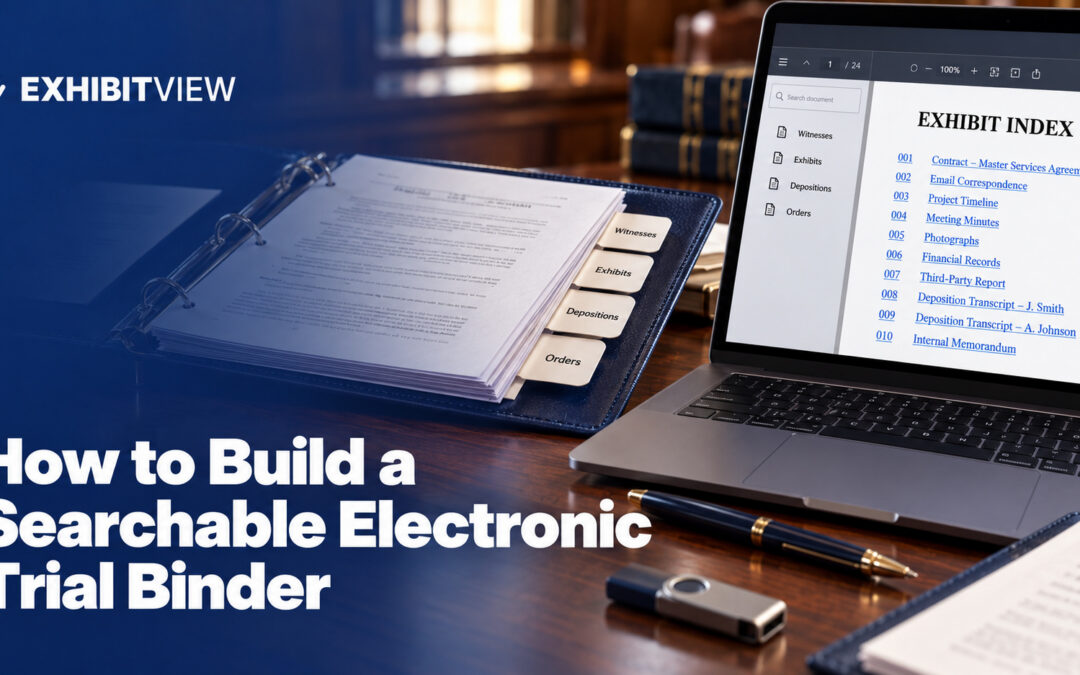
A trial binder used to mean tabs and a three-ring spine. Now most teams carry a digital one as well, and some courts ask for the electronic version in a set format. This guide covers what goes in the binder, what courts require, how to add bookmarks and a linked index, when to use one PDF or many files, and how to keep the paper and digital sets matched.
Key takeaways
- Build to the court’s format first. Lincoln County Circuit Court in Oregon, for example, requires a single PDF of exhibits for a remote hearing to have an index at the front, links from the index to each exhibit, and a bookmark for each exhibit.
- Plan for paper too. Some federal judges ask for tabbed binders of exhibits, and some set the binder size.
- Make every file searchable. Some courts require OCR on exhibits, and searchable files are easier to move through at trial.
- ExhibitView’s Trial Presenter lists witness folders and Hot Docs folders, and PDF+ lists bookmarks, OCR and search, and a Page Manager for preparing files.
What goes in an electronic trial binder?
Most teams settle on a few sections:
|
Section |
What it holds |
|---|---|
|
Case file |
Pleadings, key orders, the pretrial order and the judge’s procedures |
|
Witness files |
An outline and cross kit for each witness |
|
Exhibits |
Every exhibit, in number order, with an index |
|
Depositions |
Transcripts, designations, summaries and clips |
|
Law |
Jury instructions, motions in limine and key authorities |
|
Logistics |
Exhibit list, witness order and a tracking sheet |
Keep the binder to what you will need in the courtroom. Anything else belongs in the case file. For help building the exhibit set itself, see ExhibitView’s How to Organize Trial Exhibits page. A witness file that lists the witness’s exhibits by number is also ready to share, since Judge Breyer’s guidelines say all counsel are entitled to know a firm order of witnesses for the next court day and the exhibits that will be used on direct.
What do courts require for electronic and paper exhibit sets?
Five published examples show how much the formats differ:
|
Court |
What it asks for |
|---|---|
|
Lincoln County Circuit Court (Oregon), 2024 local rules |
For remote hearings, exhibits are filed electronically. Exhibits submitted as a unified single PDF must come with an index at the beginning that identifies each exhibit, each exhibit electronically linked to the index, and an electronic bookmark for each exhibit. The court may reject submissions that do not comply |
|
N.D. Ill., Judge Valderrama |
A USB drive with a PDF of each exhibit, named under the court’s convention, with OCR run on them, plus a double-sided three-ring binder with tabs separating each exhibit |
|
N.D. Ohio (JERS) |
Exhibit files as PDF, JPG, BMP, TIF or GIF for documents and photos, with audio and video in listed formats. Individual files should not exceed 500 MB |
|
N.D. Cal., Judge Breyer |
A bench binder with each exhibit separated by a label divider, in 1-1/2-inch binders with locking rings |
|
M.D. Ga. (federal) |
The court’s CM/ECF procedures say the use of PDF bookmarks is strongly encouraged when filing exhibits |
These come from each court’s published information. Confirm the current version before relying on them. Your judge’s orders can differ. Judge Breyer’s document is a set of civil bench-trial guidelines, Lincoln County’s rule applies to remote hearings, and M.D. Ga.’s procedures cover electronic filing.
How do you add bookmarks and a linked index?
Here is a simple routine for a single PDF with a linked index and bookmarks. The steps are our suggestion and not a court requirement, and they work in any PDF tool:
- Run OCR first, so the PDF is searchable.
- Print the index and match its page numbers to the exhibits, which makes linking faster.
- Link each index entry to the first page of its exhibit.
- Add a bookmark at the start of each exhibit.
- Test the links. Open the finished file, click every index link and every bookmark, and confirm each goes to the right exhibit.
Name bookmarks the way you name files, with the exhibit number and a short description.
How do you search and move through the binder at trial?
Search is the reason to go digital. With OCR run, a name, date or exhibit number typed into the search box should find the page, even in a scanned record. Match your bookmark titles to the exhibit list, so you can say a number and go straight there. Test how the file opens and searches on the laptop you will use in court, and keep a paper index for the moment a screen goes dark.
Should the binder be one PDF or many files?
It depends on where the files are going:
- Filing or a remote hearing. Lincoln County asks for a unified single PDF with a linked index and bookmarks when exhibits are submitted that way, and M.D. Ga. strongly encourages PDF bookmarks on filed exhibits.
- A jury evidence system. Judge Valderrama asks for a PDF of each exhibit under a file-naming convention, and N.D. Ohio’s JERS accepts separate files and says a PDF may hold one or many pages.
- Your own use at counsel table. One searchable PDF with bookmarks is faster to move through. Separate files are easier to update.
Many teams keep both: a master set of numbered files, and a bookmarked single PDF built from it for the courtroom. If a file gets too large, N.D. Ohio suggests splitting it or shrinking it with a tool such as Adobe’s reduce-file-size feature.
How do you keep the paper and digital sets in sync?
Build both from one master. A short routine:
- Number once. Judge Valderrama says not to renumber exhibits after the pretrial conference, and Judge Breyer says a single exhibit is marked only once.
- Treat versions as separate exhibits. Judge Breyer’s guidelines say different versions of the same document, such as a copy with added handwriting, are different exhibits.
- Rebuild after every change. If an exhibit is replaced, regenerate its bookmarked PDF and reprint its paper copy together.
- Keep a change log. Note the date and the reason for each change.
Where does software fit?
A folder tree, a PDF editor and a spreadsheet can run a binder. Trial software becomes useful when you want the binder inside the courtroom workflow. ExhibitView’s PDF+ lists bookmarks, OCR and search, and a Page Manager, and Trial Presenter lists an exhibit library, witness folders and Hot Docs folders for showing exhibits. ExhibitView says its desktop products are designed for Windows.
What is the checklist for an electronic trial binder?
- You have read the court’s rules on electronic and paper exhibits.
- Every file is searchable, with OCR run.
- The exhibit index links to each exhibit, and each exhibit has a bookmark.
- Files are named by exhibit number and a short description.
- You have both a numbered file set and a bookmarked single PDF, if you need both.
- The paper bench binder has tabs or dividers in the size the judge asks for.
- Paper and digital sets are rebuilt together after any change.
- A backup copy is on a separate drive.
Conclusion
Build to your court’s format first, then keep one master set of numbered, searchable files. Rebuild the paper binder and the bookmarked PDF together after every change, and test the links, bookmarks and search on the laptop you will use in court.
About ExhibitView
ExhibitView makes trial presentation software for lawyers and paralegals, including Trial Presenter for organizing and showing exhibits and PDF+ for preparing documents. ExhibitView says its desktop products are designed for Windows, and iTrial is an iPad app for presenting. A short call can show whether it fits your cases.
Book a 15-minute call with Bill
Frequently Asked Questions
Do courts require bookmarks in electronic exhibits?
Some do. Lincoln County Circuit Court requires a bookmark for each exhibit in a unified single PDF submitted for a remote hearing, along with an index linked to each exhibit, and M.D. Ga.’s CM/ECF procedures strongly encourage PDF bookmarks when filing exhibits. Check your court’s rules and the judge’s orders.
Does an exhibit PDF need OCR?
Sometimes. Judge Valderrama requires OCR text recognition on exhibits. Even where it is not required, searchable files are easier to use.
How big can an exhibit file be?
It depends on the system. N.D. Ohio’s JERS says individual files should not exceed 500 MB. Check your court’s limits.
Do you still need a paper binder?
Some judges ask for one. Judge Valderrama asks for a tabbed, double-sided binder, and Judge Breyer asks for a bench binder with label dividers. Check your judge’s orders.
What size binder do judges want?
Judge Breyer’s guidelines ask for 1-1/2-inch binders with locking rings and say heavier binders are too hard to handle. Other judges differ.
How do you back up the binder?
N.D. Ohio’s guide calls a backup laptop or a disk loaded with your documents a wise precaution. Judge Valderrama’s order has the parties provide one tabbed binder of all admitted exhibits to go to the jury, to minimize the possibility of disruption due to technical issues.
Should you use letters or numbers for exhibits?
Follow the judge. Judge Breyer and Judge Valderrama both require numbers only, while some courts use letters for defendants, so check your court’s rules.
Recent Comments